
Presets
A preset sets every setting of a movement at once. Open it from the preset button (the list icon) at the right of the Movement panel’s header. After you apply one, the menu’s title shows its name.
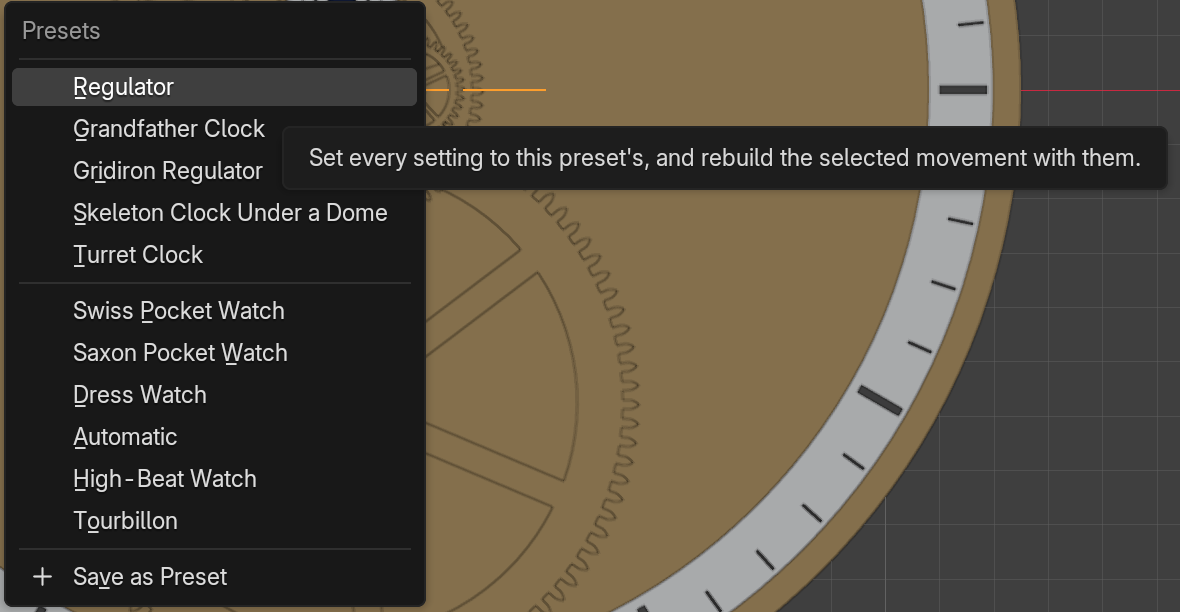
Apply a Preset
Section titled “Apply a Preset”Pick a preset from the menu. With a movement selected, TockPilot rebuilds it once with the preset’s settings and keeps its place. With nothing selected, the preset sets up the next Add Movement. Your time and rate stay as they are.
TockPilot ships eleven, each set where the real ones differ:
| Preset | What it is |
|---|---|
| Regulator | A wall clock with a Graham escapement and a rod-and-bob pendulum |
| Grandfather Clock | A recoil anchor in a mahogany longcase |
| Gridiron Regulator | Harrison’s gridiron pendulum in a walnut wall case |
| Skeleton Clock Under a Dome | Mercury jars, on an ebony base under glass |
| Turret Clock | The tower clock in its iron frame, aged |
| Swiss Pocket Watch | Frosted gilt bridges, blued screws, a Roman dial, a gold case |
| Saxon Pocket Watch | A three-quarter plate in German silver, an Arabic dial, a gold case |
| Dress Watch | A wristwatch at 21,600 beats, an Arabic dial, a steel case |
| Automatic | A wristwatch with a rotor, a black baton dial, a steel case |
| High-Beat Watch | 36,000 beats an hour in a glass case |
| Tourbillon | A wristwatch with a tourbillon, blued screws, a gold case |
Save a Preset
Section titled “Save a Preset”Set the movement up the way you like, then pick Save as Preset at the bottom of the menu and give it a name. TockPilot saves the settings the panel shows and lists your preset under its own. A name the shipped presets use is taken; pick another.
Your presets are small files in TockPilot’s user folder, so they stay when you update TockPilot.
Remove a Preset
Section titled “Remove a Preset”Click the X beside one of your own presets in the menu. TockPilot deletes it. The shipped presets cannot be removed.